Keel · Guides · Today & Calendar
Log or move a dose from another day
Can I fix yesterday?
Select the day on the calendar and use the dose’s row exactly as on Today: log it, Log at a time…, Move to… or Skip; a missed dose from days ago is still actionable.
AvailabilityFree
Calendar › Month: tap the day; its doses list below. Week: tap the day’s ring; the agenda scrolls to that day. Each row is the same row as Today’s, with the same mark, swipes and buttons.
Steps
- Select the day and tap the dose’s row.
- Log it: tap the mark or Log done to record it as taken now, or Log at a time… to set the real Taken at — for a past dose the sheet opens at that dose’s effective time (Move time, else snooze time, else plan), or at now if that is earlier.
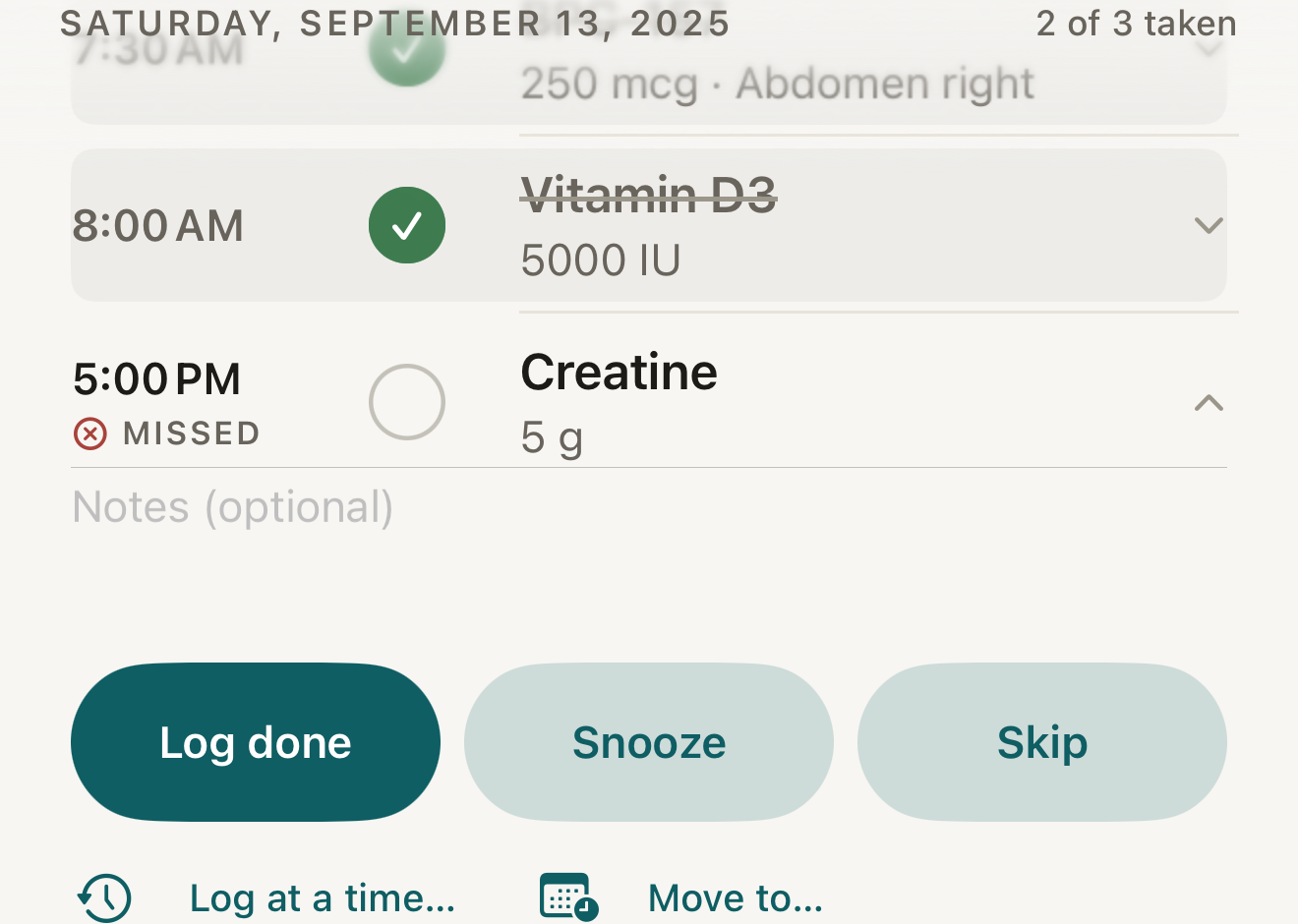
Fictional past day: a missed dose stays actionable — log it now (it counts as Late), record its real time, move it or skip it. - day header
- MISSED word
- Log done
- Log at a time…
- Move to…
Where this screen comes from
- File
B12-F1-past-day-missed-row.png(1320×940);B12-F1-past-day-missed-row.webpis a lossy encode of it- Derivative SHA-256
01fc1c8fa838f1c5eb34f9ac3cc725848e9dd4649d80f4475b47d368938dad85- Source
B12-F1.pngin packageKeel-WT-7e41269-guide-figures-B1-20260924-090933-67253- Source SHA-256
3c92362cbb945293c8652df3e74a21ef197d47bf00bb5b2d338089979764656b- Package seal
fd002ec92b03ee746be00143a4397ff542b7ef280c610dfb07bdf49a1ff4efc5- Captured from
- Keel 1.0.0 (1), implementation
working tree 7e41269 (NOT a candidate; head 7e4126919da3a44a9ad2f2efaf3ad2467c1fbff7, build-input tree 213aa887926d08f17538a5789db46f99fbc9a8120019b2cd3c59876621f68970, build build-20260917-181010-73820) - Operation
- crop x0 y1540 w1320 h940 (source pixels, origin top-left)
The numbered markers are drawn by the page, not into the image.
- Or Move to… to put it on another time or day, or Skip to record a skip.

What changes
The row settles or moves exactly as on Today; a dose moved onto another day lists under that day, because days group by each dose’s effective time. Adherence for that day changes with it.
Where: The selected day’s list and its ring
If it looks different
- A MISSED dose from days ago?
- It is still loggable — the mark records it as taken now, which counts as LATE, and the day’s ring and adherence change retroactively; Log at a time… with the real time is judged from that time.
- Snooze on a past day?
- It sets the dose to now plus the chosen minutes — usually today, after midnight if it is late — and it leaves that day’s list; a moved dose keeps its Move time instead.
- A future day’s dose?
- It is actionable too; logging it records Taken at now, before its plan, which counts as Done.
- No Log side effects entry on calendar rows?
- That entry lives on Today.
- "Nothing scheduled"?
- The day has no doses; Go to today returns you.
Correct a mistake
Tap the filled mark or the row’s Undo / Undo skip.
- The dose returns to pending and the day’s counts revert.
Fixing a past day changes your record of that day; Keel never suggests that a missed dose should be taken or made up.