Keel · Guides · Calculators
Start a calculator from a routine
Can the calculator use my routine’s numbers?
Tools › Calculators › From Your Routine (Pro): pick a routine and a calculator; it opens with that routine’s compatible values already typed in, everything stays editable, and nothing is written back.
AvailabilityPro feature — readable on Free
Tools › Calculators › From Your Routine — "Start a calculator from compatible routine values". On Free the row carries a Pro badge and opens the membership sheet.
Steps
- Tap From Your Routine. The sheet lists your active routines with their dose · schedule; its footer: "The calculator starts from this routine’s own values — everything stays editable, and nothing is written back."
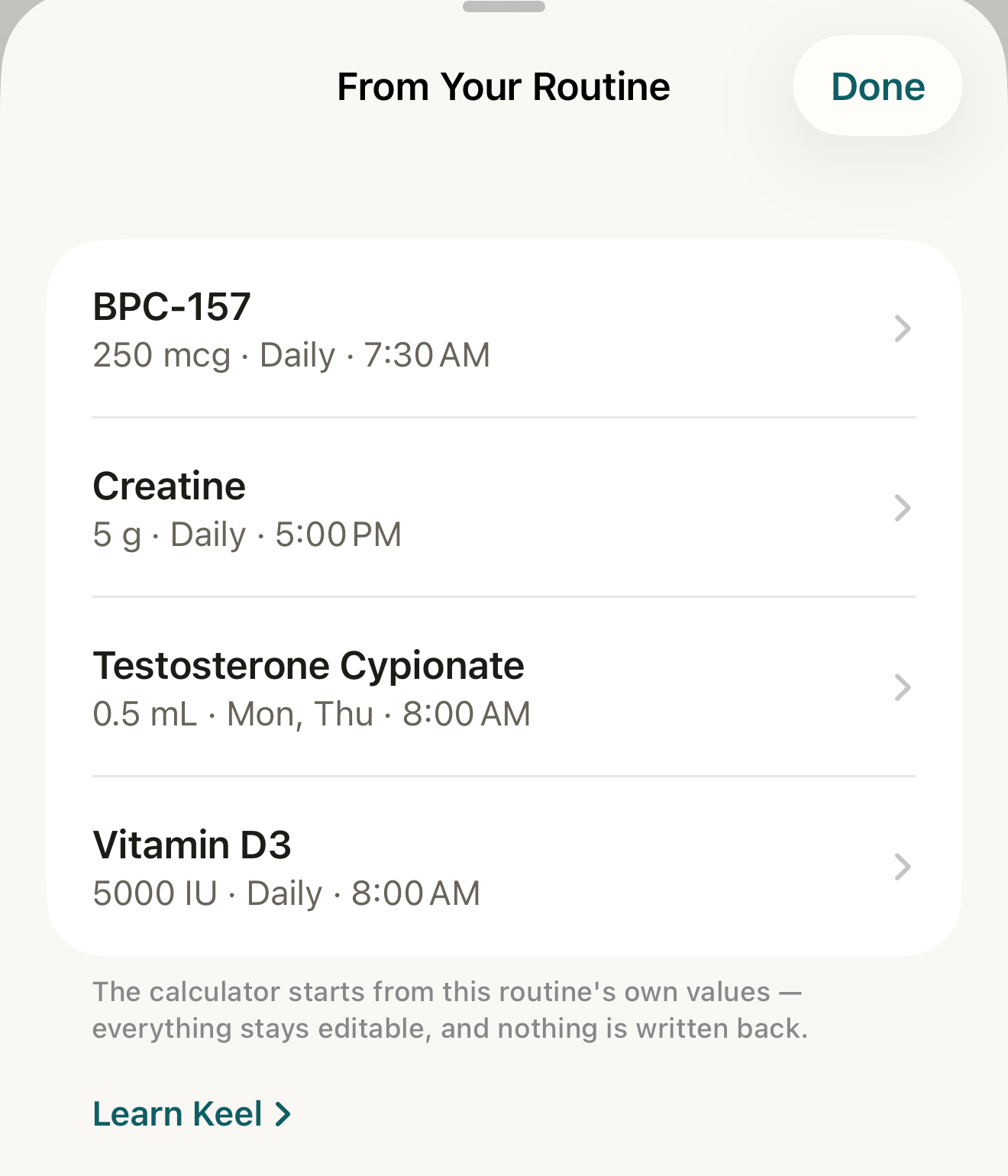
Pick a routine and then a calculator; it opens with that routine’s compatible values already typed in, and nothing is written back. - a routine row with dose · schedule
- footer
Where this screen comes from
- File
C13-F1-from-your-routine.png(1320×1540);C13-F1-from-your-routine.webpis a lossy encode of it- Derivative SHA-256
04a5bbd0e493439af16a9f1c5e5d2c53fd5adceb5819be9d2b197bb991f40415- Source
C13-F1.pngin packageKeel-WT-7e41269-guide-figures-B2-20260924-111151-1756- Source SHA-256
5d9b4bef05cc71ac4ffdcf5717a5f1e781b98b6afa28e1cd06ead8f4b952da83- Package seal
f9b0083234734b6b16f58e455596067bde9182e8e0ff62c5e84cdfae8ad22c6f- Captured from
- Keel 1.0.0 (1), implementation
working tree 7e41269 (NOT a candidate; head 7e4126919da3a44a9ad2f2efaf3ad2467c1fbff7, build-input tree c863167fe1474c471d3562fe90f5f107c9598edff3903cdfc58b89bc7ae3032c, build build-20260924-103514-93133) - Operation
- crop x0 y200 w1320 h1540 (source pixels, origin top-left)
The numbered markers are drawn by the page, not into the image.
- Tap a routine, then Oil-Based Calculator, Peptide Reconstitution or Syringe Units — "Fields the routine doesn’t specify (or that use another unit) start empty."
- Read or change any field as usual.

What prefills
A one-way snapshot of the routine’s current phase, taken when you tap: Oil-Based — Weekly dose only when the dose is in mg and the schedule maps to one injection per day on a daily, every-other-day, every-3-days, weekly (one or two days), once- or twice-weekly, or every-N-days pattern; Concentration (mg/mL), Vial size (mL) and Number of vials from the attached inventory profile. Peptide Reconstitution — Amount in vial from the profile’s strength (mg or IU), Reconstituted with (mL), and Your dose when its unit matches the vial (mcg for mg, IU for IU). Syringe Units — Concentration (mg/mL) from the profile.
What stays empty
Anything the routine or profile does not state in exactly that unit — a dose in mL or IU for the oil calculator, a profile with no concentration, a schedule with two times a day. Nothing is converted across unit families; the one derived value is the oil calculator’s Weekly dose, the routine’s mg dose multiplied by its injections per week.
Nothing writes back
Editing a field in the calculator changes nothing in the routine, its phase or its profile; the snapshot is discarded when you leave.
If it looks different
- "No active routines"?
- "Once a routine is active, its calculators can start from that routine’s compatible values."; a paused routine is not offered.
- The calculator opened mostly empty?
- The routine’s dose unit or profile fields did not match (see what stays empty).
Prefilling copies numbers you already entered (and, for the oil calculator, multiplies your dose by your own schedule); the calculators still suggest nothing, and Keel never turns a result into a routine.