Keel · Guides · Inventory
Restock or correct your balance?
I counted a different amount — which do I use?
Restock adds an amount that arrived; Correct Balance replaces the balance with what you counted. Both write a row in Supply history; nothing is overwritten.
AvailabilityPro feature — readable on Free · Assumes an inventory profile
Restock records an amount that arrived and adds it. Correct Balance records what you counted and replaces the balance with it. Both write a row in Supply history; nothing is overwritten.
Tools › Tracking › Vials & Inventory › the profile › Restock or Correct Balance.
Keel keeps a running balance
Keel tracks a running balance per profile. A logged dose subtracts from it when the routine is attached and the units convert (inventory guide). Restock and Correct Balance are the two ways you move that balance by hand.
Vial A at 20 mL — two independent branches
Fictional exampleThe names and values below are made up to show how the parts relate; they are not a suggestion.
- Profile
- “Vial A”, tracked in mL, balance 20 mL
- Restock 5
- 25 mL · history row Restock +5 mL
- Correct Balance to 5
- 5 mL · history row Counted balance 5 mL
Restock
- Tap Restock.
- Enter Amount added and choose its unit.
- Keep or set Effective date (not in the future).
- Tap Record.
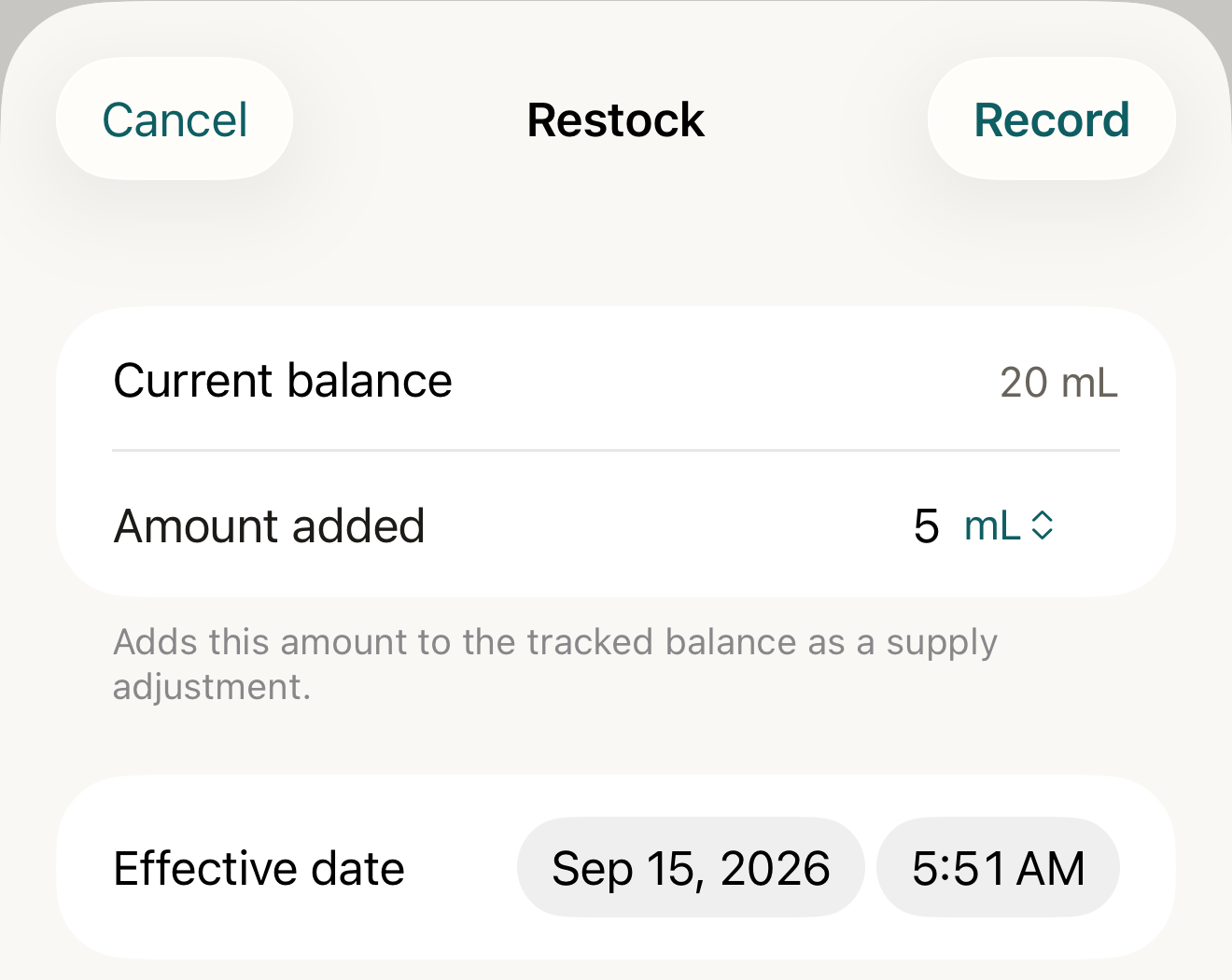
Fictional example: the Restock sheet before Record — an amount that arrived, its unit and its effective date; Record adds it to the balance. - Amount added
- unit
- Effective date
- Record
Where this screen comes from
- File
G12-F1-restock-sheet.png(1320×1050);G12-F1-restock-sheet.webpis a lossy encode of it- Derivative SHA-256
2cbf786f64df531964f6b7c426adef1d0c96e39f02b8998d7c569ac37ccbe492- Source
G12-F1.pngin packageKeel-V1-4cbadaa-guide-figures-D-20260915-175842-31382- Source SHA-256
20cd3c008cf6fc9f0b6cc1120e952a90bb477c825de16483ef3bc677c4a0befe- Package seal
734f8ee432472a7cd790042b30552ee099fee72dcc2a2f9badbaa48a14ef8bbe- Captured from
- Keel 1.0.0 (1), implementation
4cbadaa1c63a0678b61e703583fadc9af226267d - Operation
- crop x0 y185 w1320 h1050 (source pixels, origin top-left)
The numbered markers are drawn by the page, not into the image.


- Current balance
- Restock row
- Reverse
Where this screen comes from
- File
G12-F2-vial-after-restock.png(1320×1735);G12-F2-vial-after-restock.webpis a lossy encode of it- Derivative SHA-256
f1d58867da7201ec62de380f59634ae68b9483a2194f06d8c586ee204c12225e- Source
G12-F2.pngin packageKeel-V1-4cbadaa-guide-figures-D-20260915-175842-31382- Source SHA-256
0773fd581e5996824192b262b6998519ecebf8a02738b5c292dd2d3273e00ed8- Package seal
734f8ee432472a7cd790042b30552ee099fee72dcc2a2f9badbaa48a14ef8bbe- Captured from
- Keel 1.0.0 (1), implementation
4cbadaa1c63a0678b61e703583fadc9af226267d - Operation
- crop x0 y445 w1320 h1735 (source pixels, origin top-left)
The numbered markers are drawn by the page, not into the image.
Correct Balance
- Tap Correct Balance.
- Enter New balance.
- Tap Record.
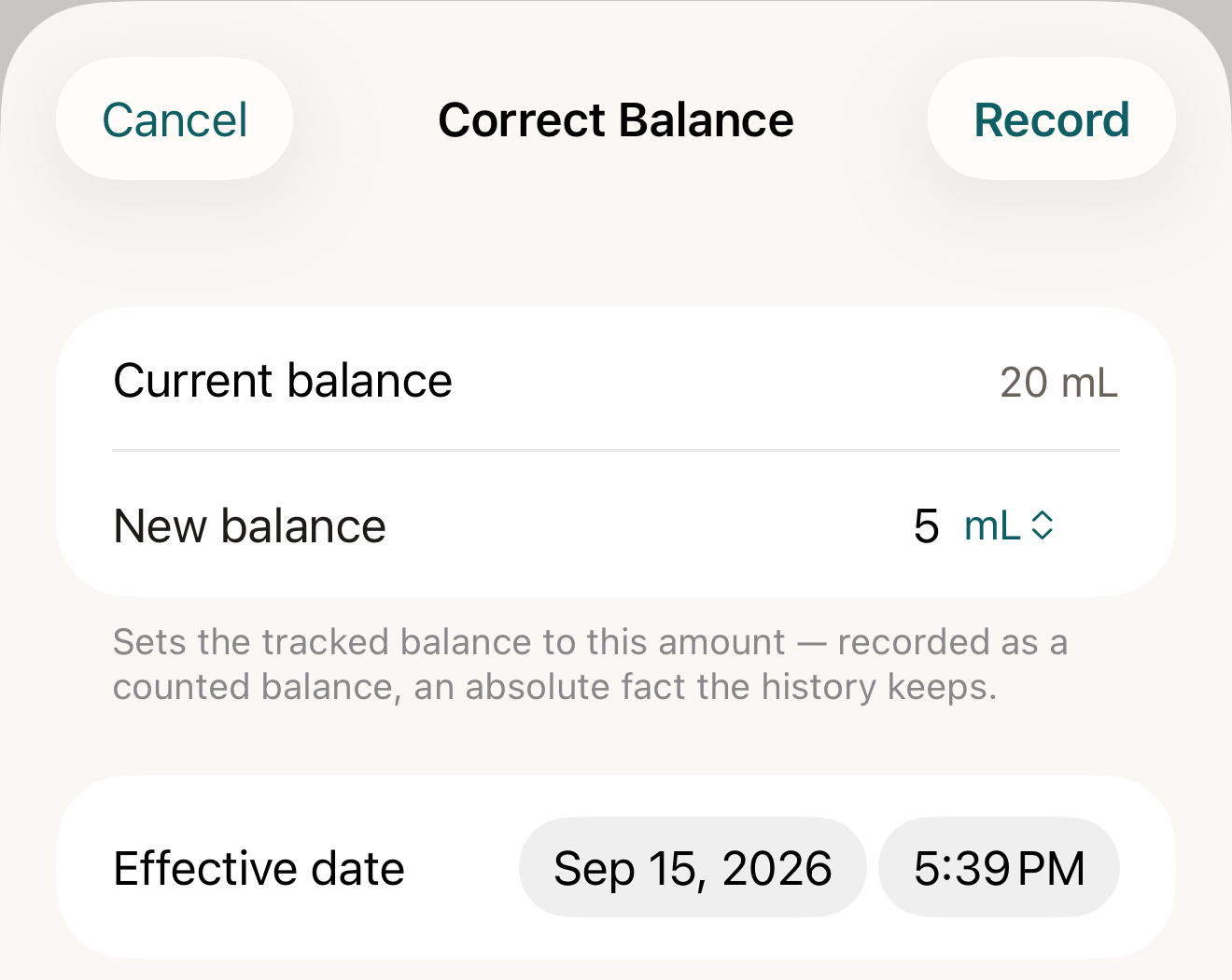
Fictional example: the Correct Balance sheet before Record — what you counted; Record replaces the balance with it and keeps the old rows. - New balance
- Record
Where this screen comes from
- File
G12-F3-correct-balance-sheet.png(1320×1050);G12-F3-correct-balance-sheet.webpis a lossy encode of it- Derivative SHA-256
8c408bea319339548096394f2f7c690da90c9783770630c546e8acd86d262398- Source
G12-F3.pngin packageKeel-V1-4cbadaa-guide-figures-D-20260915-175842-31382- Source SHA-256
cfa5bcc0c6718bee7e739e578fa681a1fa1749ed9c53d6bdb77f14324eaa62e6- Package seal
734f8ee432472a7cd790042b30552ee099fee72dcc2a2f9badbaa48a14ef8bbe- Captured from
- Keel 1.0.0 (1), implementation
4cbadaa1c63a0678b61e703583fadc9af226267d - Operation
- crop x0 y185 w1320 h1050 (source pixels, origin top-left)
The numbered markers are drawn by the page, not into the image.


- Current balance
- Counted balance row
- Retract
Where this screen comes from
- File
G12-F4-vial-after-count.png(1320×1735);G12-F4-vial-after-count.webpis a lossy encode of it- Derivative SHA-256
bd5357484aa24c87467f7072740f492d8b2dd9b1455b6614ad35bd6ac61ca3b7- Source
G12-F4.pngin packageKeel-V1-4cbadaa-guide-figures-D-20260915-175842-31382- Source SHA-256
f5f47f801789633957f319b6f61b12440519440503c9f7e4464f160fc8651eee- Package seal
734f8ee432472a7cd790042b30552ee099fee72dcc2a2f9badbaa48a14ef8bbe- Captured from
- Keel 1.0.0 (1), implementation
4cbadaa1c63a0678b61e703583fadc9af226267d - Operation
- crop x0 y445 w1320 h1735 (source pixels, origin top-left)
The numbered markers are drawn by the page, not into the image.
What changes
Current balance updates; Supply history gains the row shown above with its effective date, listed above the Starting balance row the profile began with; a restock row offers Reverse, a counted balance offers Retract.
Where: The profile’s Current balance and Supply history
If it looks different
- The unit doesn’t convert (IU on a profile with no IU/mL concentration)?
- “IU doesn’t convert to mL for this profile. Your entry stays as typed.” — the draft is kept, nothing is recorded.
- Effective date won’t go past today?
- It cannot be in the future.
- “Counts disagree. The balance is unsettled until the conflict is resolved.”?
- Two counted balances disagree (say, from two devices); the profile shows a Conflicting counts section and refuses a new count: “Two counts disagree. Resolve the conflict before recording a new count.” Pick the one to keep (“Pick one of the conflicting counts to keep.”) with Keep count.
- “A newer count already covers that date. Date this count after it.”?
- A count dated before a newer one is refused; date it after the newer count.
Correct a mistake
Reverse the restock or retract the count; the original row stays and the balance returns.
- Reverse asks “Reverse this adjustment?” — “Records the exact opposite: (the opposite movement). The original entry stays in the history.” — then Record reversal.
- Retract asks “Retract this count?” — “Removes the counted fact as though it never applied. The original entry stays in the history.” — then Retract count.
- Already done, or the wrong kind: “That adjustment was already reversed.”, “A reversal can’t be reversed.”, “That count was already retracted.”, “A count can’t be reversed. Retract it instead.”
Keel tracks. It never advises. Restock and Correct Balance record the amounts you enter; nothing here says how much to keep on hand.